
Pre-order functionality
Pre order in Centra makes it possible for customers to pre-order a product even though it has empty stock in Centra.
This documentation is spesific for Retailer/DTC store in Centra.
Pre order functionality is added on product variant size level:
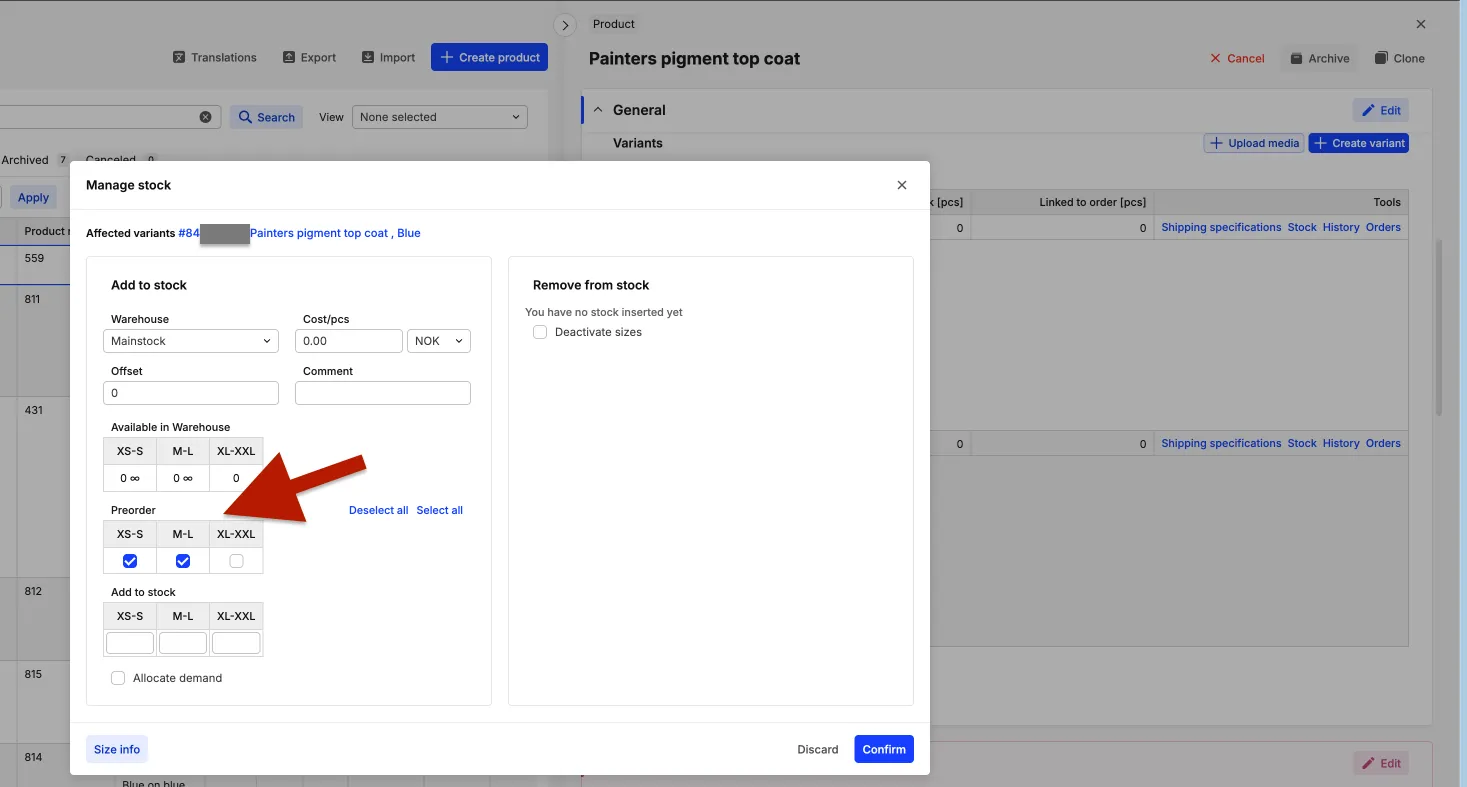
Read more about Preorder product status here: https://support.centra.com/centra-sections/general/stock/preorder-product-status
Estimated time to implement
- With external worker - 4-5 hours with testing and deploy
- With stock handling internally - 2-3 hours with testing and deploy
Important to know before you start
- When you edit ‘Stock Visible’ in Centra settings from ‘No’ to ‘Yes’, the actual stock number will be returned by the Centra API.
We do not want to expose the stock number to the front end, so it’s important you handle this on the server side, example:
export const getStock = (stock?: string | number) => {  if (typeof stock === "string") {    if (stock == "infinite") {      return "yes";    }    return stock;  }
  if (typeof stock === "number") {    if (stock > 0 && stock < 10) {      return "few";    }    return stock > 0 ? "yes" : "no";  }};
Difference between Stock Visible ‘Yes’ and ‘No’
If ‘Stock Visible’ is set to ‘No’, Centra API will return:
- When in stock
stock: “yes” - type string - When sold out:
stock: “no” - type string - When there are fewer in stock than provided in Few Left Threshold settings:
stock: “few” - type string
If ‘Stock Visible’ is set to ‘Yes’, Centra API will return:
- When in stock (actual stock number):
stock: 5 - type number - When product variant has pre-order checked:
stock: “infinite” - type string - When sold out - without pre-order on product variant:
stock: 0 - type number
How to implement
- Locate where you handle the stock logic in your code. It could be in the project repository, or in a worker.
As an example, Oleana has a separate repository called oleana-frend-factory, which handles data formatting from Centra:
def get_size_available(data, i):  """    Returns whether item is available or not  """  stock = data["items"][i]["stock"]
  # Since we are migrating from Stock Visible setting in Centra from 'No' to 'Yes' we need to handle legacy conditions  if isinstance(stock, str):    if stock in ["yes", "infinite", "few"]:      return True
    return False
  return stock > 0
def get_size_preorder(data, i):  """    Returns whether item is preorder or not  """
  size_preorder = data["items"][i]["stock"] == "infinite"
return size_preorder- After you have implemented the logic that both handles if the stock is returned as string or number, you can log in to Centra.
- Navigate to Centra admin panel. The login is usually GSuite ‘teknisk@frend.no’ found in 1Password
- Go to ‘Stores Management’ in the left menu
- Click ‘Stores’
- Click on ‘Retail’
- A popover ‘Retail’ will appear
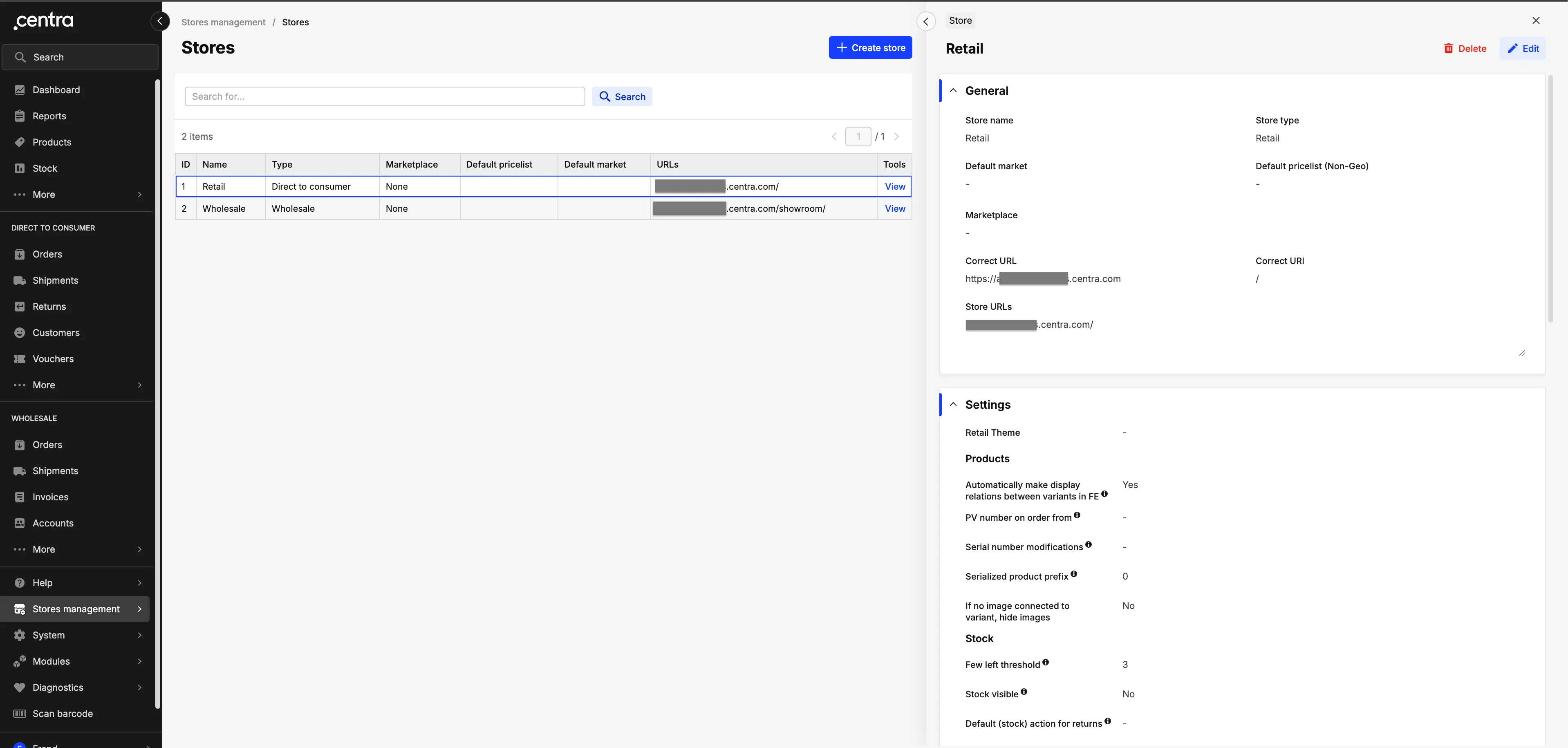
- Scroll down to ‘Stock Visible’. Click ‘Edit’ and change it to ‘Yes’
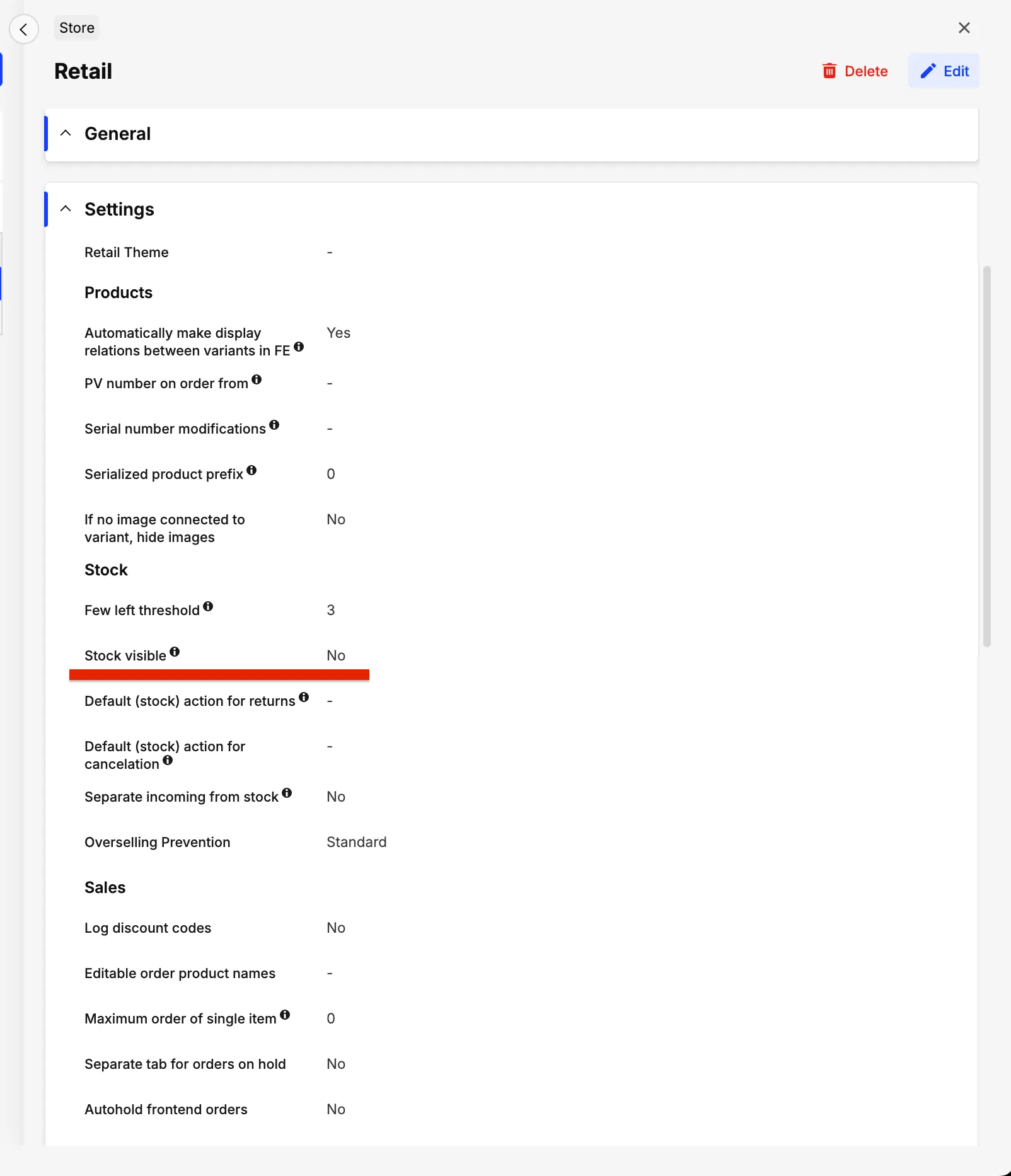
- A warning popup will appear asking you to confirm the change
- Confirm your changes
- Click ‘Save’
How to set a product variant to pre-order
- Navigate to “Products” in the left menu
- Click on a product in the list
- Scroll down to ‘Variants’ in the ‘General’ popup
- Click on ‘Stock’ on a variant
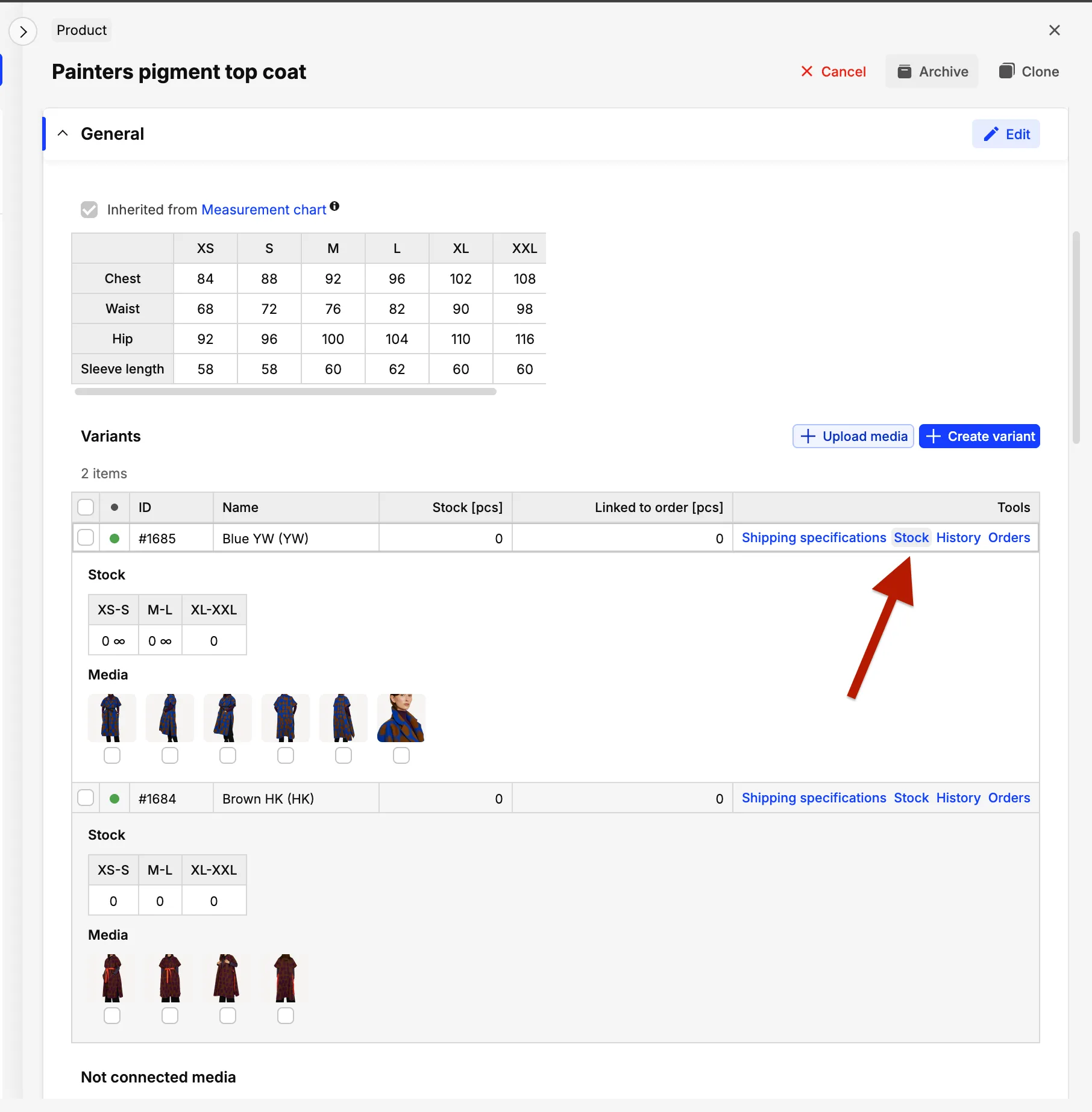
- Check the sizes you want to sell with pre-order functionality
6. Click ‘Confirm’
What happens next
Now, the customer has the ability to add the product to the cart, even though it has empty stock in Centra. Something to think about, is the label of the Add to cart-button. When stock: “infinite”, the label should be “Pre order”, to make it clear to the customer that this product is pre-order only.